

Grade
2-5
Delivered Online
Duration
52 Sessions
Multiple
Activities
Fun, interactive and project- based scratch classes
for kids by expert computer science teachers.
Learn Scratch programming with
top Instructors
How does Scratch coding work?
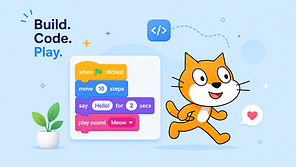
Scratch is a visual programming language designed for beginners, especially students and children. Instead of typing code, you create programs by dragging and dropping colorful blocks that fit together like puzzle pieces.
Scratch allows users to build games, animations, stories, and interactive projects while learning important programming concepts such as loops, conditions, variables, and events.
Its user-friendly interface makes coding easy to understand, making it an excellent platform for students and beginners to develop logical thinking, creativity, and problem-solving skills before moving on to advanced programming languages.
This Course Includes :
5 modules, 52 sessions of 45 mins each
Learn live with expert Computer Science teacher modules
5 detailed modules activity
54 Sessions & projects certificate
Scratch developer certificate infinity
Lifetime access to course content
personalized
Doubt sessions with your teacher
download
Live 1:1 class with Coding Instructor
cup
Receive monthly progress reports
Scratch Online Learning Program
The Scratch Online Learning Program is structured into 5 modules with 52 well-designed sessions to provide a complete coding learning experience.
Module 1
Introduction to Coding &
Scratch
Session 1: What is Coding? Understanding Instructions & Sequences
Session 2: Introduction to Scratch: Sprites, Stages & Blocks
Session 3: Hands-on: Moving a Sprite (Basic Motion & Events)
Session 4: Understanding X-Y Coordinates & Directions
Session 5: Mini Project: Make a Sprite Dance!
Session 6: Fun Quiz & Debugging Challenge
Module 2
Animation & Storytelling
(8 Sessions)
Session 7: Loops & Repetition—Making Characters Move Continuously
Session 8: Adding Sounds &
Effects—Creating Simple
Animations
Session 9: Creating a Short Story (Backgrounds & Speech Bubbles)
Session 10: Controlling Sprite Appearance (Costumes & Transitions)
Session 11: Mini Project: Animate a Day in the Park
Session 12: Debugging & Problem-Solving with Scratch
Session 13: Build a Digital Puppet Show! Klariti
Session 14: Game Jam: Dress-Up Your Character.
Module 3
Game Design Basics
(10 Sessions)
Session 15: Understanding Game Mechanics—How Games Work?
Session 16: Events & Conditions—Making Decisions in a Game
Session 17: Making Objects Move with Keyboard Controls
Session 18: Keeping Score—Using Variables in Scratch
Session 19: Adding Obstacles & Challenges
Session 20: Building a Simple Clicker Game
Session 21: Maze Game - Design & Code Level 1
Session 22: Maze Game - Adding Multiple Levels
Session 23: Play & Improve—Peer Feedback & Iteration
Session 24: Game Showcase & Fun Quiz
Module 4
Interactive Challenges & Creative Coding (12 Sessions)
Session 25: Storytelling with Branching Choices (If-Else Logic)
Session 26: Creating a Virtual Pet in Scratch
Session 27: Time-Based Challenges—Adding a Timer to Games
Session 28: Motion Sensing with Webcam & Extensions
Session 29: Creating a Simple Race Car Game
Session 30: Fun with Sounds—Making a Simple Music Game
Session 31: AI Basics—Can Scratch Recognize Patterns?
Session 32: Simulating Day & Night Cycles in Games
Session 33: Mini Project: Design a Space Adventure
Session 34: Debugging Challenge—Fix & Improve an Existing Game
Session 35: Pair Programming—Collaborate & Build Together
Session 36: Surprise Challenge!
Module 5
Final Project & Certification
(10 Sessions)
Session 37-38: Brainstorm & Plan Your Own Game Idea
Session 39-40: Designing Your Game Interface
Session 41-42: Coding & Debugging Your Game
Session 43-44: Enhancing & Adding Final Touches
Session 45-46: Game Demo Day—Presenting to Classmates & Parents Session 47-48: Fun Coding Challenges & Recap Quiz
Session 49-50: Bonus Scratch Tricks & Expert Tips
Session 51-52: Graduation Day + Klariti Coding Champion Certificate